Total: $0.00
Taxes et frais de port calculés à la caisse



Vendor: Middle Rabbit
Type: Earbuds
Disponible: Disponible
Shipping and any applicable taxes are calculated at checkout. Shipping policy
AT YOUR DESK. ON YOUR TERMS.
The included USB dongle carries audio and microphone input, even when your computer has no Bluetooth.
Four microphones with AI-tuned voice processing support your meetings and everyday calls.
Keep a Bluetooth phone connected alongside your computer. Switch listening modes with a 2-second touch.

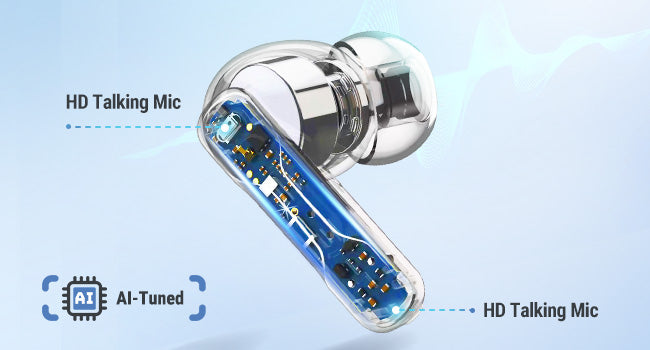
Four AI-tuned microphones capture your voice for calls and meetings. Connect through the USB dongle for computer audio and microphone input.
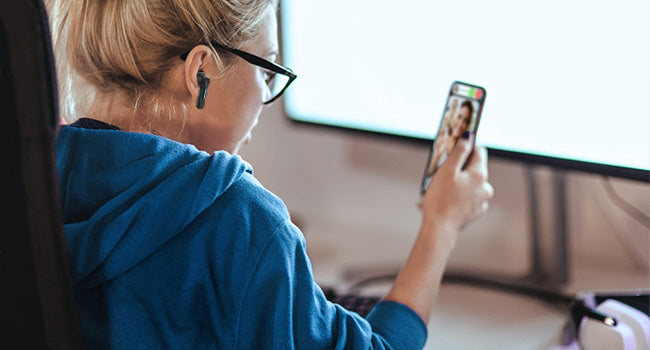
Connect your computer through the dongle and your phone through Bluetooth. Hold either earbud for 2 seconds to switch modes. The two audio sources do not play together.
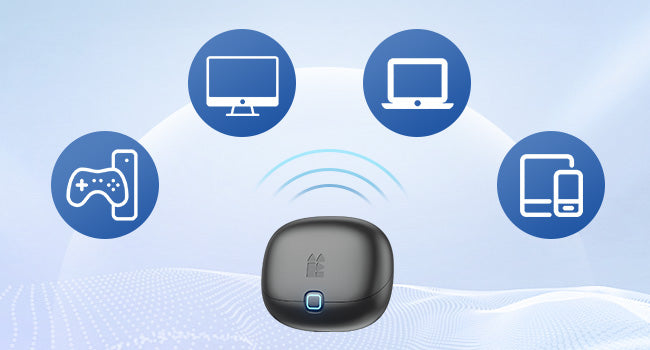
Use the USB-C dongle or included USB-A adapter with a compatible computer. Bluetooth gives you another way to listen on your phone or tablet.
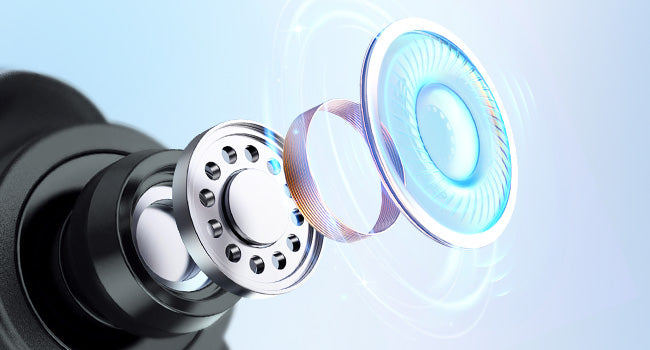
A 10 mm dynamic driver handles your calls, music and podcasts. Personalize the sound with EQ settings in the Middle Rabbit app.
Describe what you want to improve, then generate and apply an EQ in the Middle Rabbit app. You can also adjust EQ manually, customize touch controls and update firmware.


Get up to 6 hours in Game Mode or 8 hours in Music Mode at 70% volume, and up to 32 hours total with the charging case. Actual battery life varies with settings and use.

Use the earbud touch controls for calls and playback. Customize their functions in the Middle Rabbit app to suit your routine.
The 2.4G dongle uses LC3 audio with 20 ms low latency, keeping sound closely aligned with what is on screen.

Insert the dongle, using the USB-A adapter if needed. Select SW5 as both speaker and microphone in your computer and meeting app. If there is no sound, hold either earbud for 2 seconds to switch to dongle mode.

Battery life and wireless performance vary with volume, settings and usage conditions.
No. The included 2.4G USB dongle provides the wireless connection to the earbuds. Use the USB-A adapter if your computer does not have a compatible USB-C port.
Both can stay connected, but their audio does not play together. Hold either earbud's touch control for 2 seconds to switch between dongle and Bluetooth modes. In Bluetooth mode, you will not hear computer audio from the dongle.
Check that the earbuds are in dongle mode. Select SW5 as both the speaker and microphone in your computer sound settings and in the meeting app. Also check the app's mute setting and microphone permission.
They use the same SW5 hardware and features. Workbuds presents the SW5 for office calls and everyday computer use, and uses the same Middle Rabbit app and SW5 manual.
Yes. Use the Middle Rabbit app for SW4 Pro / SW5 earbuds to describe your preferred sound, generate an EQ and apply it. You can also customize EQ and touch controls, check battery levels and update firmware.
PRODUCT SUPPORT
Use the SW5 manual and Middle Rabbit earbuds app for setup and personalization.


