Total: $0.00
Taxes et frais de port calculés à la caisse



Vendor: Middle Rabbit
Type: Écouteurs filaires ouverts
Disponible: Disponible
Shipping and any applicable taxes are calculated at checkout. Shipping policy
LISTEN. SPEAK. STAY CONNECTED.
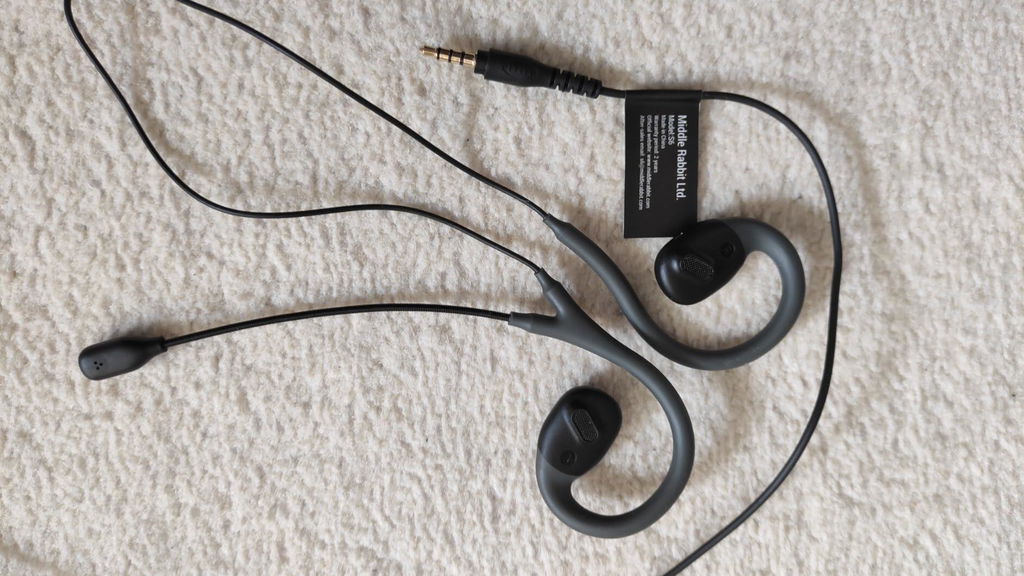
The ear-hook design positions the speakers outside your ear canal. Adjust the fit to your ear shape.
The extended boom microphone sits near your mouth for calls, meetings and game chat.
A 3.5 mm wired connection means no Bluetooth pairing or earbud battery to recharge.

The speakers sit outside the ear canal, held in place by ear hooks.

Gently adjust the ear hooks to suit your ears. Wearing experience varies by person.


The boom places the microphone near your mouth for calls, meetings and game chat.


A direct wired connection carries your audio without Bluetooth pairing.

Bio-fiber diaphragms are part of the S6 speaker design.

Adjust volume, manage playback and mute your microphone using the inline controls. Supported functions depend on your connected device.

Use a compatible 3.5 mm headset jack. Devices without one need a suitable adapter; computers with separate headphone and microphone sockets may need a headset splitter.

Position each ear hook around your ear, then adjust gently. Take a break or remove the earbuds if they feel uncomfortable.

Fit and wearing experience vary by person. Microphone and control compatibility depend on your device and any adapter used.
No. S6 rests around your ears with the speakers outside the ear canal. Adjust the ear hooks and position gently to suit your ears. Fit and wearing experience vary by person.
No. S6 is wired and does not need Bluetooth pairing, charging or the Middle Rabbit earbuds app.
You need an adapter for your phone that supports a 3.5 mm headset with microphone input. An audio-output-only adapter will not carry your microphone signal.
Check the inline mute control and select the headset microphone in your device or meeting app. If your PC has separate headphone and microphone sockets, use a compatible headset splitter. Also check that any adapter supports microphone input.
Connect to a compatible 3.5 mm headset socket, such as the one on a supported PS4, PS5 or Xbox controller, or on a Nintendo Switch. Check the audio and microphone settings for your device and game.
PRODUCT SUPPORT
Find wearing instructions, controls and setup information in the S6 manual.