
합계: $0.00
세금과 배송비는 결제 시 계산됩니다


배송 가능 상품과 배송비는 배송지에 따라 다릅니다. 결제 단계에서 확인하세요. 배송 안내
30일 반품 · 1년 보증최종 배송비와 세금은 결제 시 확인하세요.
브랜드: Middle Rabbit
종류: Earbuds
구매 가능: 구매 가능
SW5 Workbuds는 PC 온라인 회의와 통화용으로 소개하는 SW5 이어폰입니다. SW5 게임용 모델과 하드웨어가 동일하며 기본 제공 USB 동글과 Bluetooth로 연결할 수 있습니다.

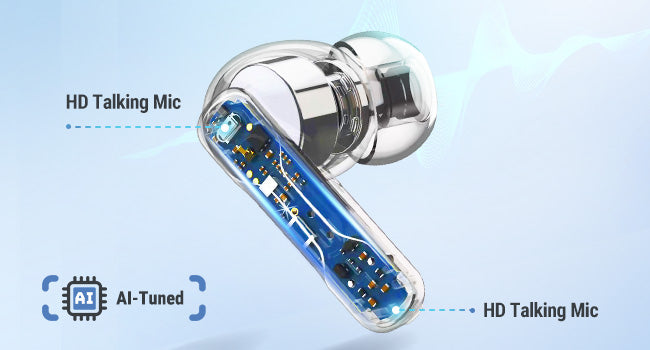
Four AI-tuned microphones capture your voice for calls and meetings. Connect through the USB dongle for computer audio and microphone input.

Connect your computer through the dongle and your phone through Bluetooth. Hold either earbud for 2 seconds to switch modes. The two audio sources do not play together.
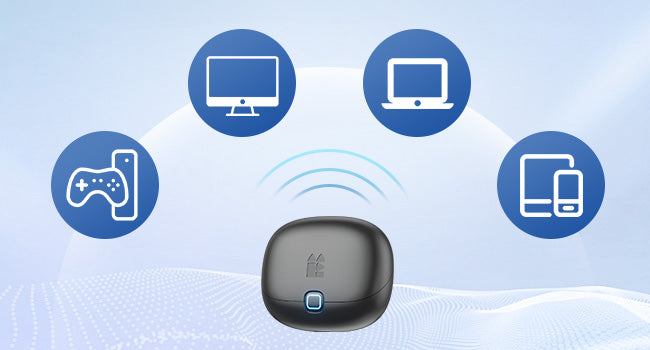
Use the USB-C dongle or included USB-A adapter with a compatible computer. Bluetooth gives you another way to listen on your phone or tablet.
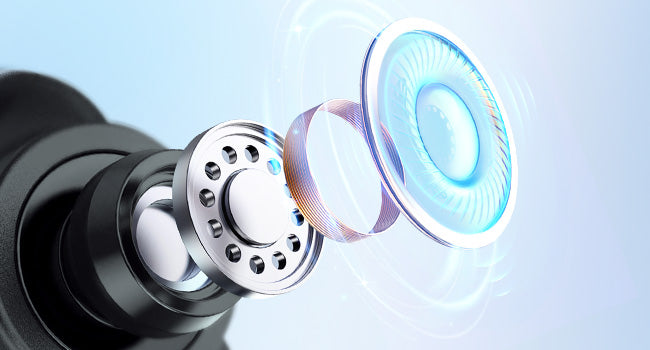
A 10 mm dynamic driver handles your calls, music and podcasts. Personalize the sound with EQ settings in the Middle Rabbit app.
Describe what you want to improve, then generate and apply an EQ in the Middle Rabbit app. You can also adjust EQ manually, customize touch controls and update firmware.


Get up to 6 hours in Game Mode or 8 hours in Music Mode at 70% volume, and up to 32 hours total with the charging case. Actual battery life varies with settings and use.

Use the earbud touch controls for calls and playback. Customize their functions in the Middle Rabbit app to suit your routine.
The 2.4G dongle uses LC3 audio with 20 ms low latency, keeping sound closely aligned with what is on screen.

Insert the dongle, using the USB-A adapter if needed. Select SW5 as both speaker and microphone in your computer and meeting app. If there is no sound, hold either earbud for 2 seconds to switch to dongle mode.


