合計: $0.00
税と送料はチェックアウト時に計算されます



配送可能な商品・送料は配送先によって異なります。チェックアウトでご確認ください。 配送について
30日間の返品受付・1年間の保証最終的な送料と税金はチェックアウトでご確認ください。
Vendor: Middle Rabbit
Type: Earbuds
Available: Available
SW5 Workbudsは、PCでのオンライン会議や通話向けに紹介しているSW5イヤホンです。SW5ゲーム版とハードウェアは同じです。付属USBドングルとBluetoothで接続できます。

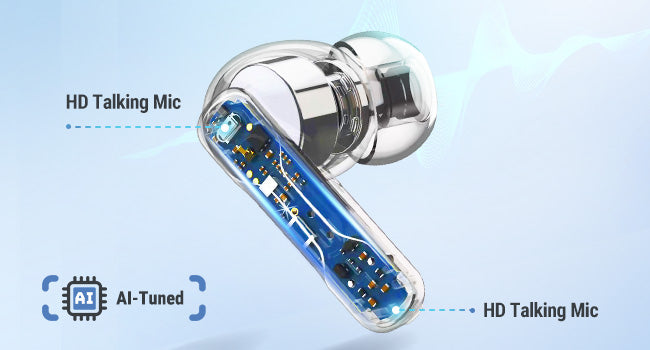
Four AI-tuned microphones capture your voice for calls and meetings. Connect through the USB dongle for computer audio and microphone input.

Connect your computer through the dongle and your phone through Bluetooth. Hold either earbud for 2 seconds to switch modes. The two audio sources do not play together.
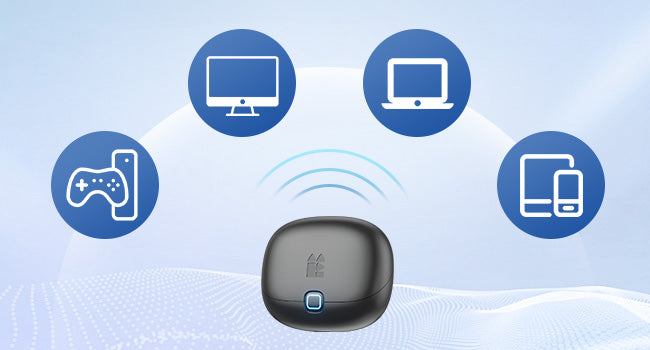
Use the USB-C dongle or included USB-A adapter with a compatible computer. Bluetooth gives you another way to listen on your phone or tablet.
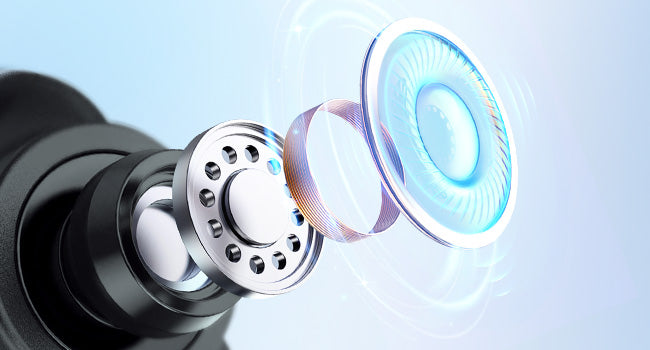
A 10 mm dynamic driver handles your calls, music and podcasts. Personalize the sound with EQ settings in the Middle Rabbit app.
Describe what you want to improve, then generate and apply an EQ in the Middle Rabbit app. You can also adjust EQ manually, customize touch controls and update firmware.


Get up to 6 hours in Game Mode or 8 hours in Music Mode at 70% volume, and up to 32 hours total with the charging case. Actual battery life varies with settings and use.

Use the earbud touch controls for calls and playback. Customize their functions in the Middle Rabbit app to suit your routine.
The 2.4G dongle uses LC3 audio with 20 ms low latency, keeping sound closely aligned with what is on screen.

Insert the dongle, using the USB-A adapter if needed. Select SW5 as both speaker and microphone in your computer and meeting app. If there is no sound, hold either earbud for 2 seconds to switch to dongle mode.


